Quick summary
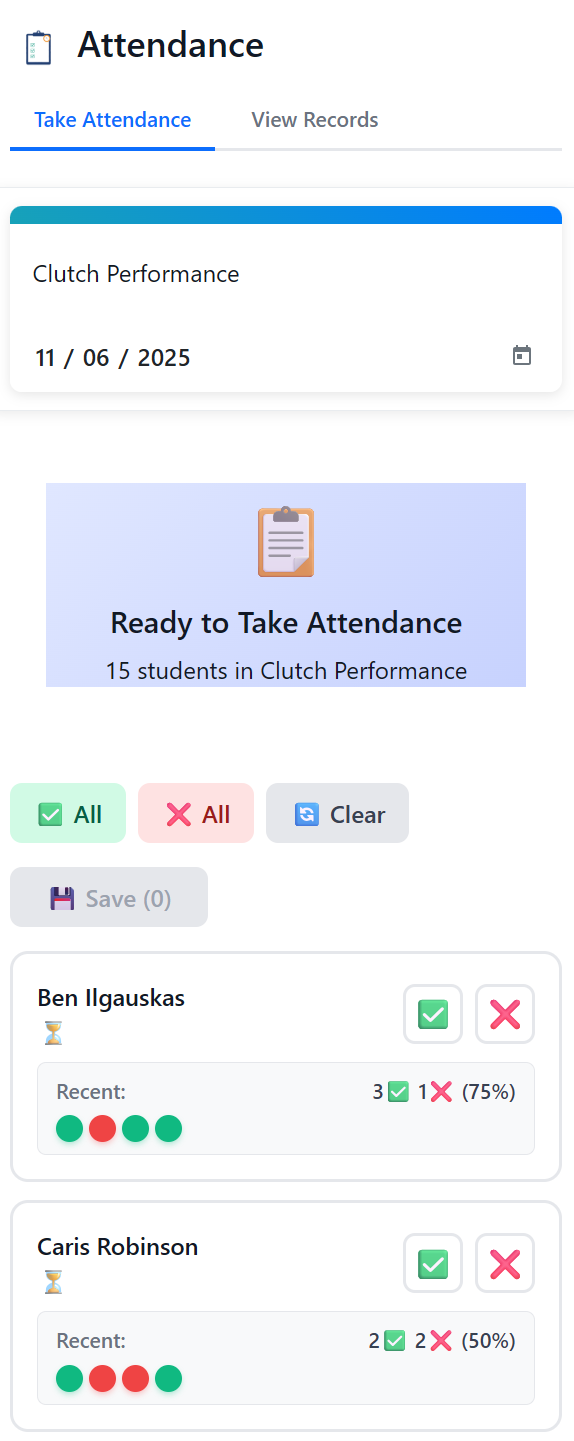
- Mark attendance where coaches already work.
- Connect absences to parent updates.
- Use notes for make-up sessions and repeated patterns.
Attendance is more than a tick box. In a basketball academy, it tells coaches who is building rhythm, who is falling behind, and which parents need an update.
One attendance workflow should connect the court, the admin desk, and the parent message.
1) Let coaches mark attendance quickly
Attendance should be fast enough to use before or after practice. If it takes too long, coaches will delay it and accuracy drops.
2) Use simple absence statuses
Present, absent, late, and excused are usually enough. Consistent labels keep reports readable.
3) Attach notes when follow-up matters
A repeated absence, injury note, or make-up session should not be buried in a chat. Keep it attached to the athlete.
4) Close the loop with parents
Parents do not need long messages. They need timely, clear updates when attendance affects progress, make-up sessions, or payments.
Final thought
Good attendance tracking gives the academy a calmer operating rhythm and gives parents fewer reasons to call for clarification.
Need the full academy workflow? See how Simple Class works.
Related resources
- Basketball academy management software - Commercial overview for tuition, attendance, registrations, and parent communication.
- How it works - Practical workflow for basketball academy operations.