Quick summary
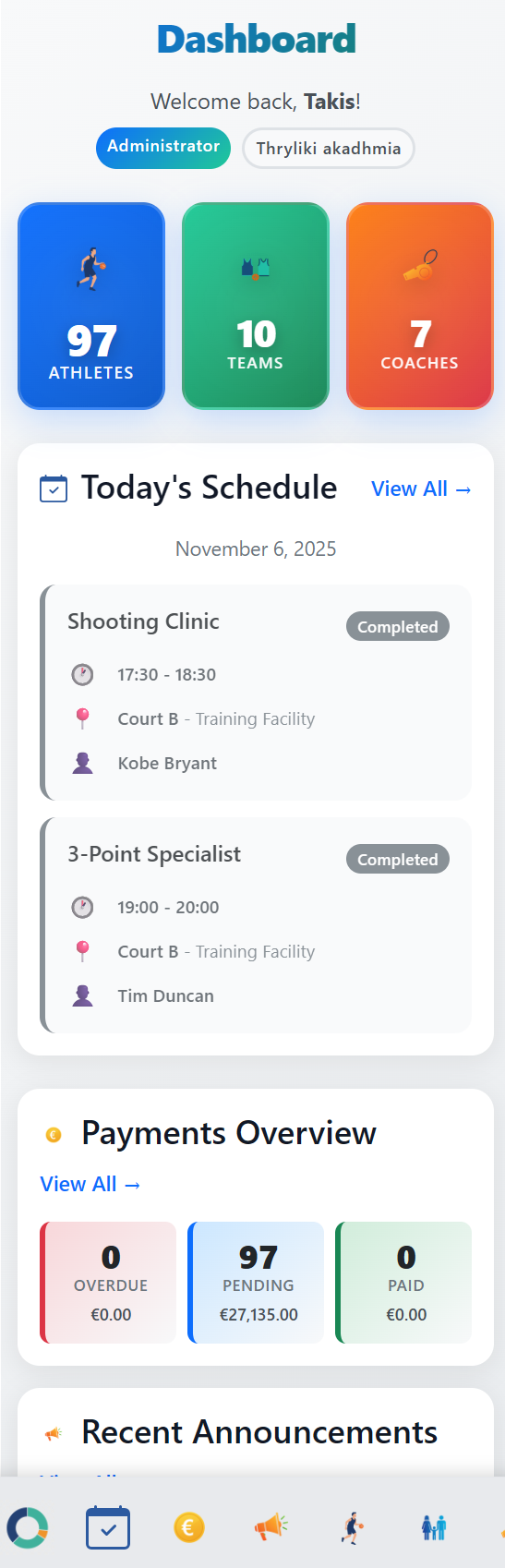
- Centralize athletes, groups, payments, attendance, and parent updates first.
- Keep coaches focused on training, not admin follow-up.
- The best system mirrors how your academy already runs.
A basketball academy does not need more admin tools. It needs fewer places where important details can hide.
When athlete lists, tuition status, attendance, and parent messages live separately, the academy starts depending on memory instead of process.
Start by centralizing the five records that create most daily friction: athletes, groups, payments, attendance, and parent updates.
1) Keep athlete records and guardians together
Every athlete should have one profile with guardians, contact details, group, payment status, and notes. That gives coaches and admin the same operating picture.
2) Make groups easy to scan
Basketball academies usually run by age group, level, and schedule. The system should make it obvious who belongs in each group and where capacity is tight.
3) Connect payments with attendance
Tuition and attendance are often managed by different people, but the academy owner needs both in one view. A family with missed sessions and late payments needs careful follow-up.
4) Keep parent communication attached to the athlete
Parent updates about schedule changes, absences, and payments should not disappear into personal chats. They should connect back to the athlete record.
Final thought
The right software does not replace coaching. It protects coaching time by removing repetitive admin from the week.
Need the commercial overview? See the basketball academy management software page.
Related resources
- Basketball academy management software - Commercial overview for tuition, attendance, registrations, and parent communication.
- How it works - Practical workflow for basketball academy operations.