Quick summary
- Use one monthly billing rhythm.
- Connect reminders to the right athlete and family.
- Keep exceptions visible without breaking the default workflow.
Tuition collection in a basketball academy becomes hard when everyone has a different version of who paid, who is late, and who needs a reminder.
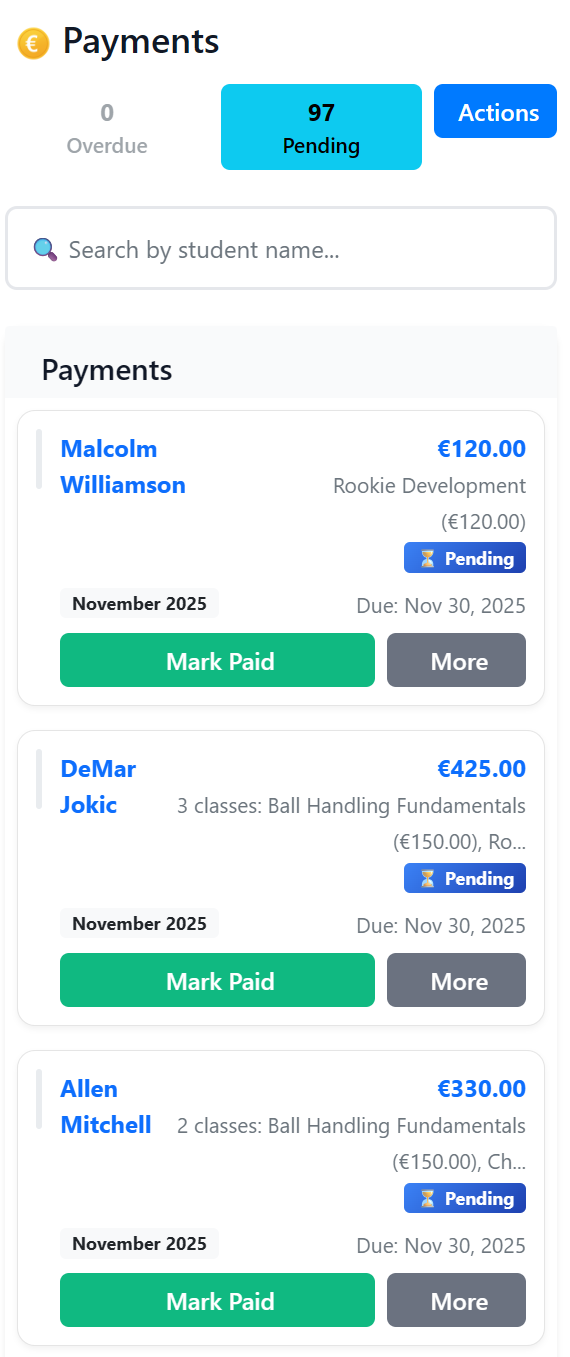
A clear payment workflow should answer one question fast: who owes what, for which athlete, and since when?
1) Define one billing rhythm
Monthly tuition is easier for families when dates are predictable. Pick a billing rhythm and keep reminders tied to that rhythm.
2) Track balances at athlete level
If one parent has two children in the academy, the system should still show balances clearly per athlete and per family.
3) Send reminders before the conversation becomes awkward
Short, specific reminders work best: amount, athlete, period, and payment method. The goal is clarity, not pressure.
4) Keep exceptions visible
Payment plans, sibling discounts, and temporary arrangements should be visible to admin so the academy does not send the wrong message.
Final thought
The less time you spend checking payments manually, the more time you can spend building a stronger academy experience.
Need software for this workflow? See Simple Class for basketball academies.
Related resources
- Basketball academy management software - Commercial overview for tuition, attendance, registrations, and parent communication.
- How it works - Practical workflow for basketball academy operations.